
Microsoft SkyDrive A great Place to Store and Share Data any where
Comparatively SkyDrive is more user friendly and has easy access of the tools within it’s frame. This can be used across the globe if one has access to internet.
Advantages of SkyDrive are as follows:
• Users having Hotmail ID can create documents using SkyDrive
• Documents can be shared across the globe using the same
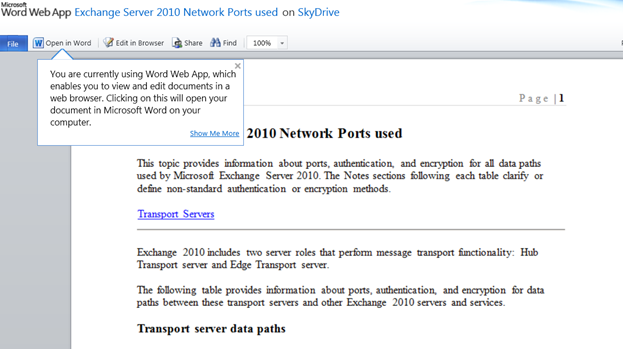
• SkyDrive has the “ability” to open and edit in internet browser even if the system is not installed with word, WinWord or any editable software.
• Through SkyDrive I can access my personal computer (desktop, files, folders, drives, etc.) from anywhere across the globe
• The above features are not available with Google drive and Dropbox.
• Free storage limit in SkyDrive is 25 GB, much more than what is available with the other applications.
Even you can share your Computer thru SkyDrive and sync your data
Login to your Hotmail account and click on “SkyDrive” here you can create the documents. Add the existing files and Create the folders as shown below

in my case I have add the word file and wants to share with my friend
Press “share Folder” as shown below add a note an d Press “Send”
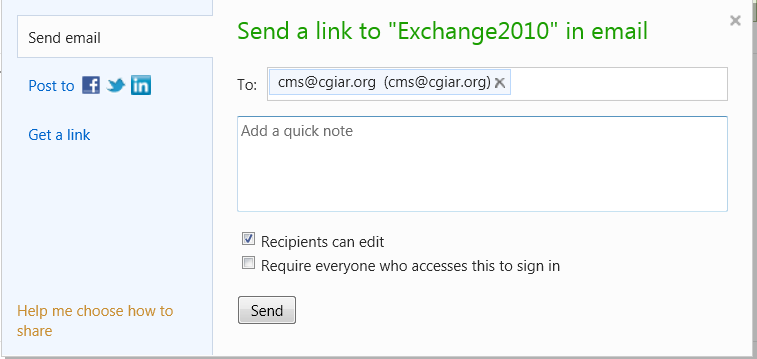
My friend receives an email as shown below
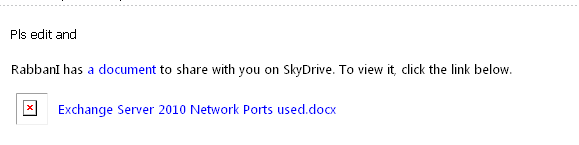
Click on “Document” it may open in the browser and is ready for editing either in browser or word. If you do not have word installed you can edit this document in Browser
Sharing A computer on a Skydive
Download the skydrive sync tool from the Microsoft site
Installed on your system
Enter your Hotmail credentials

Skydrive data location where it store all your files and folders
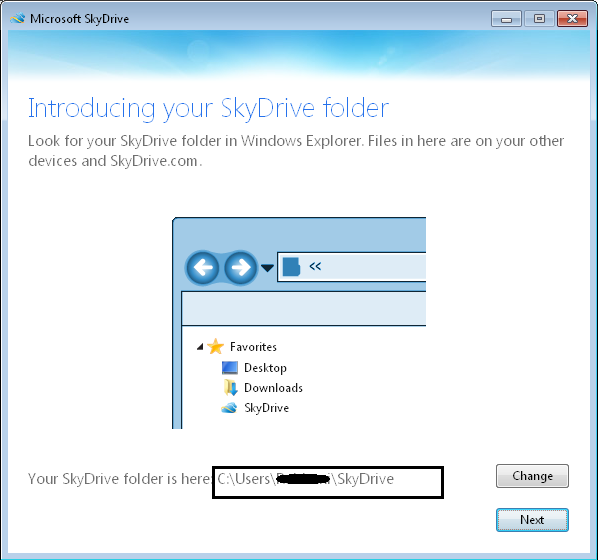
Press Next
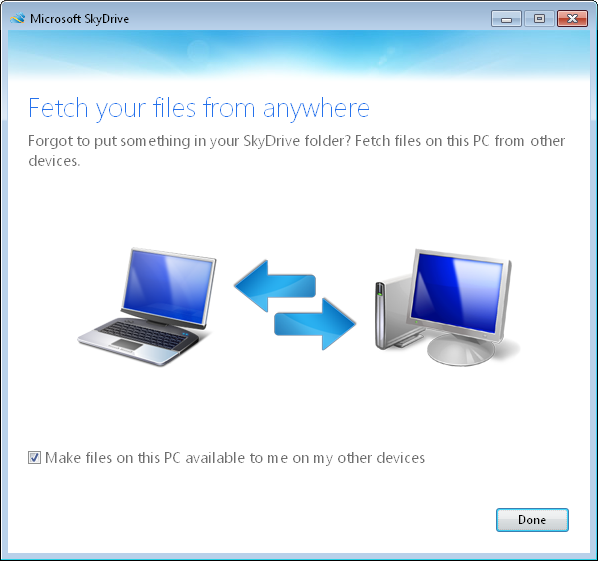
See below checkbox “Make files…”
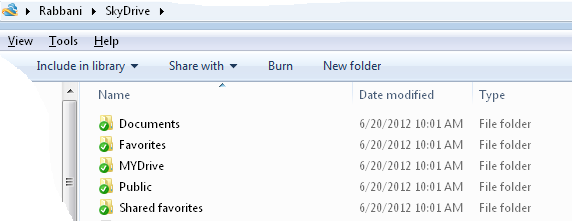
See all Folders are sync on your system if you create a Folder in the skydrive path it automatically sync on internet…
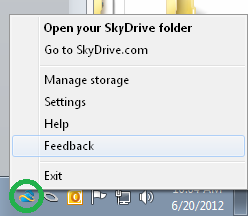
To manage SkyDrive right click skydrive Icon on the taskbar and manage:
 AmaanTech